
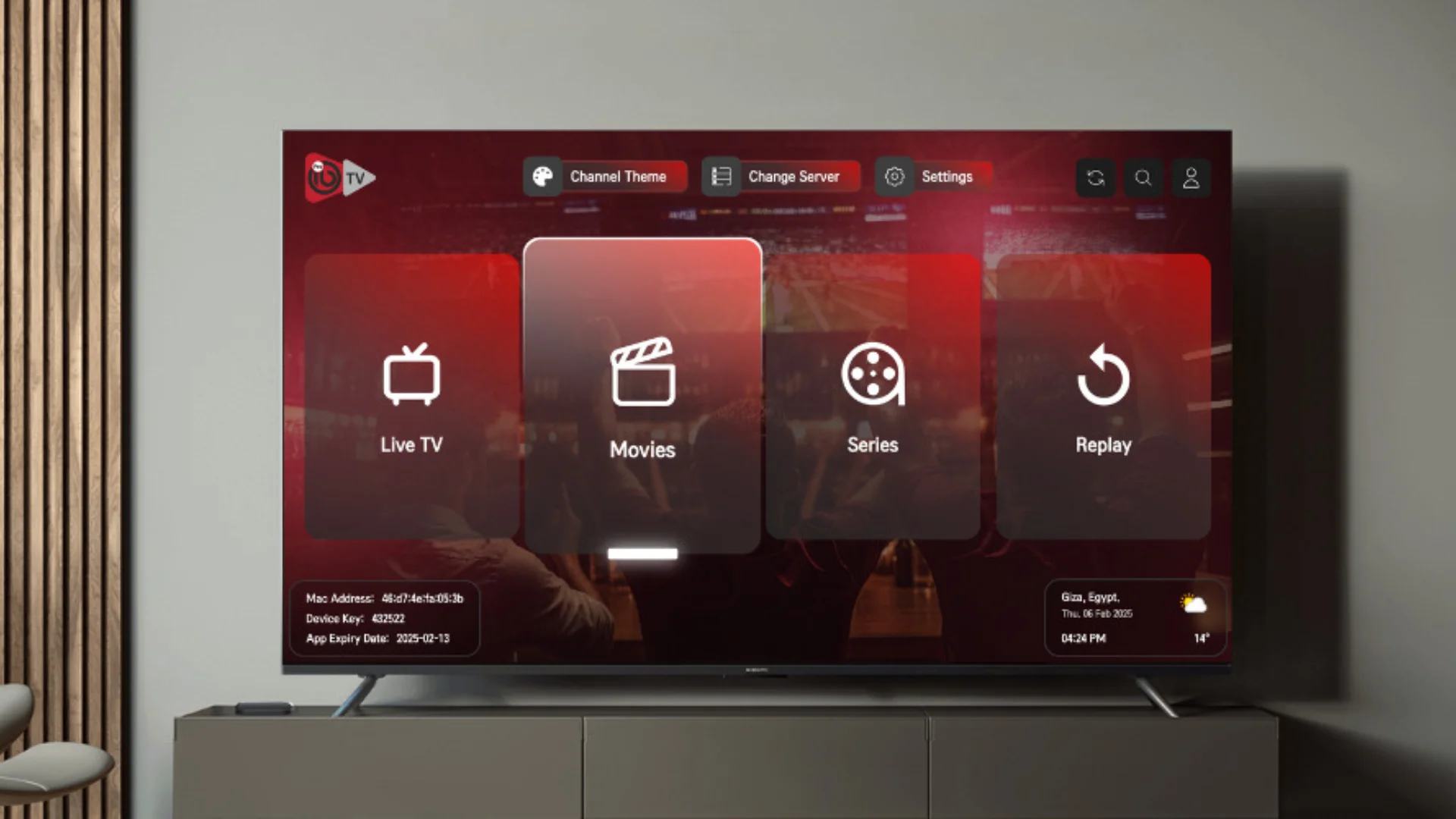
Ask ten Australian IPTV users which player they use and you will get a mix of answers. Some swear by TiviMate. Some stick with IPTV Smarters because it was the first one they tried. A few mention XCIPTV or GSE Smart IPTV. But the ones who have tried all of them usually end up on the same app, and it is the one we install on every device we ship, IBO Player Pro.
This article is the complete guide to that player. What it is, why it beats the alternatives in Australia specifically, how to set it up on every device, and how to fix the small problems that occasionally come up. If you have been searching for the best IPTV player in Australia, the short answer is IBO Player Pro. The long answer is what you are about to read.
One thing worth saying at the start. IBO Player Pro is not free. It has its own small licence fee paid directly to the developers. It is also not included with your IPTV Australia subscription. But it comes with a free trial, and once you use it for a few evenings, the difference in speed, stability and picture quality compared to free alternatives is obvious enough that most people buy the licence without hesitation.
What IBO Player Pro Actually Is
IBO Player Pro is an IPTV player app. That means it does not provide any channels by itself. What it does is connect to a subscription you already have, whether that is ours or someone else's, and turn the raw stream data into a proper television experience with a channel list, an EPG guide, favourites, search, and a remote friendly interface.
The app is available on almost every platform Australians use. Samsung Tizen, LG webOS, Android TV, Google TV, Amazon Fire TV, Apple TV, iOS, Android, Windows, and Mac. That cross platform coverage is one of the reasons we recommend it. If you set up IBO Player Pro on your lounge room TV and later add a Firestick to the spare room, or install it on your phone for watching while travelling, you already know how everything works because the interface is the same.
The app supports two login methods. Xtream Codes API, and M3U playlist URLs. In Australia, we always send Xtream Codes, because it is faster, uses less memory, and pulls the EPG guide in a single pass instead of requiring a separate download. If a player app cannot handle Xtream Codes, that is usually the first sign it is not built for modern IPTV services.
Why IBO Player Pro Is the Best IPTV Player in Australia

There are dozens of IPTV players out there. Most of them do the basic job of displaying channels. So why does IBO Player Pro stand out, and why do we keep recommending it after testing everything else?
The first reason is zapping speed. Zapping is the delay between selecting a channel and the picture appearing. On IBO Player Pro, that delay is under a second on almost any device. On the free players, it is often three to five seconds, and during that delay the app feels frozen even though it is working in the background. When you are flicking between AFL matches on a Saturday afternoon, that difference is felt every single time.
The second reason is memory usage. IBO Player Pro is built to run on low end hardware. That matters for Firesticks, older Smart TVs, and budget Android boxes. Where free players start stuttering or crashing after an hour of streaming, IBO Player Pro keeps going because it does not hold unnecessary data in memory. This is the single biggest reason we recommend it to Australian households with mixed devices.
The third reason is the EPG guide. A proper electronic program guide pulls schedule data from your provider and lays it out next to each channel, so you can see what is playing now and what is coming up. Some free players show a partial guide, some show nothing at all, and some require manual setup. IBO Player Pro loads the full seven day guide automatically from the Xtream Codes login, in the correct Australian time zone, without you having to configure anything.
The fourth reason is stability during live sport. This is the one that matters most in Australia. When an AFL grand final or a Cricket Australia Test match is on, thousands of people are streaming the same feed at once. Free players often buckle under that load. IBO Player Pro handles it because the developer has specifically tuned its buffer management for high traffic live events.
The fifth reason is the remote control experience. Every other IPTV player we have tested feels like it was designed for a mouse or a phone screen, then ported to a TV remote as an afterthought. IBO Player Pro is the opposite. Channel navigation, favourites, search, and the EPG are all designed to be driven by arrow keys and an OK button. On a Samsung or LG remote, that makes the whole app feel like a proper cable TV system.
IBO Player Pro vs TiviMate vs IPTV Smarters
The three players that come up most often in Australian IPTV groups are IBO Player Pro, TiviMate and IPTV Smarters. All three are legitimate, and all three will display your channels. The differences show up in the details.
TiviMate is a favourite among Android users because it has a very polished interface and excellent EPG customisation. The problem is that TiviMate does not run natively on Samsung Tizen or LG webOS, so Smart TV owners cannot use it unless they plug in a Firestick or Android box. It is also more expensive than IBO Player Pro for the premium version.
IPTV Smarters is the most widely available. It runs on almost every platform, including Samsung and LG. The downside is that its interface feels dated compared to IBO Player Pro, its channel zapping is slower, and its EPG setup is more fiddly. It is a solid free option, but it is a free option for a reason.
IBO Player Pro sits between them. It has the polish of TiviMate and the platform coverage of IPTV Smarters. That combination is why we recommend it as the default player for every IPTV Australia subscription. If you want the full breakdown of how these three compare on Firestick, Smart TV, Roku, and mobile, we cover all of it in our Firestick setup guide and our Smart TV setup guide.
How to Set Up IBO Player Pro in Australia
The exact setup steps depend on your device, but the process is almost identical on every platform. What changes are the names of the buttons in the app store. Here is the general flow, which works on Firestick, Smart TV, Android TV box, Apple TV, and mobile.
- Find the app in your platform's store. On Fire TV, use the Amazon App Store or Downloader. On Samsung and LG, use the built in TV app store. On Android TV and Google TV, use the Google Play Store. On iOS and Apple TV, use the App Store.
- Install and open it. The download is small, usually under fifty megabytes, and installs in under a minute.
- Start the free trial. The welcome screen offers a trial option. Select it to unlock the full app for testing.
- Choose Xtream Codes API login. Do not use M3U. Xtream Codes is faster and pulls the EPG automatically.
- Enter your credentials. Portal URL, username, password. These come from your IPTV Australia welcome message on WhatsApp.
- Wait thirty to sixty seconds. The app loads your channel list, EPG, and on demand library. After that, playback is instant.
- Buy the licence if you are happy. After the free trial ends, you can purchase an activation licence either through the app or by messaging us on WhatsApp.
If you want the full walkthrough with screenshots for your specific device, our dedicated guides cover each one. For Firestick, use our Firestick setup guide. For Samsung and LG, use our Smart TV setup guide. For Roku, use our Roku setup guide. Each one walks through the exact button presses for that platform.
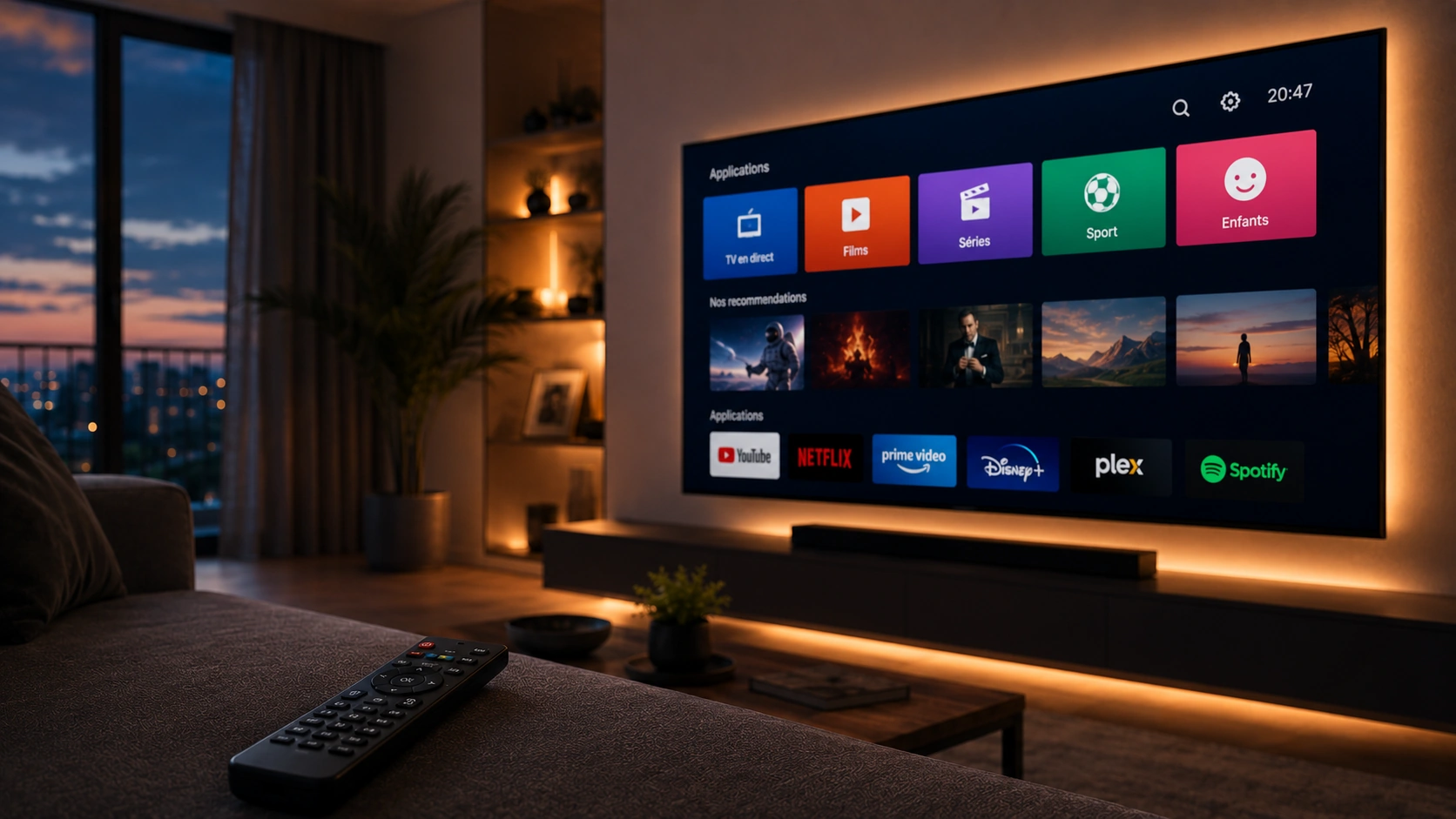
Understanding the Xtream Codes Login
The single most important part of setting up IBO Player Pro is the login. Get this right and everything else works. Get it wrong and you will spend an evening frustrated with an error screen.
Xtream Codes is a login format that most modern IPTV players accept. It uses three pieces of information. A server URL, which is usually a domain name like tv.example.com or similar. A username, which is usually a short string of letters and numbers. And a password, which is another short string.
When you enter these three into IBO Player Pro, the app makes a small database query to our server and retrieves your channel lineup, EPG data, and on demand catalogue. That is why Xtream Codes loads faster than M3U. An M3U playlist is a single large file that has to be downloaded in full every time the app launches, which uses more memory and takes longer on older devices.
One common problem. Credentials are case sensitive and spaces matter. If your username is listed as aBc123 but you type abc123, the login fails. If you accidentally add a trailing space when pasting, the login fails. If you use the wrong server URL, the login fails. The error message IBO Player Pro shows in these cases is usually not specific, so it can be hard to know which of the three fields is wrong. If you hit a login failure, retype all three fields carefully and try again before assuming there is a problem with the subscription itself.
Configuring the EPG Guide
The EPG, which stands for Electronic Program Guide, is the on screen TV guide that shows what is playing now and what is coming up. Most of the setup happens automatically when you log in through Xtream Codes, but there are a few things worth checking.
The first is the time zone. IBO Player Pro should automatically detect your time zone from the device settings, and for Australian users that means the guide shows Australian Eastern, Central, or Western time depending on where you are. If the guide looks offset by an hour or two, check the time zone in your device's system settings first. The player reads the device time, so if the device is wrong, the guide will be wrong.
The second is the refresh cycle. The EPG updates automatically every few hours, but you can force a refresh any time by opening the settings menu inside IBO Player Pro and selecting Update EPG. Do this if the guide looks stale or if you have just been given a new playlist URL by support.
The third is the layout. IBO Player Pro gives you a few different EPG layouts. The default grid view is the one most people prefer, because it shows channels down the left side and time slots across the top, exactly like a traditional TV guide. If you prefer a simpler list view, you can switch layouts in the settings.
Fixing Buffering Inside IBO Player Pro
Buffering can come from your internet, your Wi Fi, or the streaming server. In most cases it is not the player. But IBO Player Pro has a few settings that can help, and they are worth knowing about.
The first is the buffer size. In the settings menu, you will find an option called Buffer Size. The default is usually Small, which works fine on fast stable connections. If you are on a slower connection, or if you see frequent small freezes, increase it to Medium. Do not go higher than Medium unless you are troubleshooting a specific issue, because larger buffers use more memory and can cause problems on older devices.
The second is the stream engine. IBO Player Pro supports both HLS and TS stream types. HLS is usually the better choice on modern connections. TS is sometimes more stable on older networks. Try both during a live AFL or NRL game and keep whichever one runs smoother on your specific internet connection.
The third is the decoder. On some devices, switching between Hardware and Software decoding solves playback problems, especially for 4K channels. Hardware decoding is faster but depends on the device's GPU. Software decoding is slower but works on any device. If a specific channel buffers or stutters while everything else is fine, try switching the decoder for that stream.
If none of those help, the buffering is coming from somewhere else in the chain, usually your Wi Fi or your provider's server. Our best IPTV provider Australia comparison covers what to look for in a stable provider, including how server location affects playback in Australia.

Buying the Licence
When the free trial ends, IBO Player Pro asks you to purchase a licence. This is paid directly to the app developers, not to us. The licence is per device, and it is good for the lifetime of that device. There is no monthly fee.
You can buy the licence inside the app on most platforms, using whatever payment method the store supports. On Firestick, that means Amazon pay. On Samsung and LG, that means the TV store's billing system. On Android and iOS, it is the standard app store billing.
If you would rather buy an activation licence directly from us, you can message our team on WhatsApp and we will walk you through it. We sell the activation as an add on to your IPTV Australia subscription, which is convenient for customers who do not want to enter card details inside the TV app store.
What a Plan Costs in Aussie Dollars
Since this guide is about the player, here is what a subscription costs to go with it. No hidden fees, no currency surprises, just AUD pricing. Every tier includes the full Australian sports lineup, all major Australian networks, plus US, UK, and international channels.
Frequently Asked Questions
05 QuestionsIs IBO Player Pro really the best IPTV player in Australia?
It is the one we recommend on every device, and it is the one most of our customers end up using after trying the alternatives. The main reasons are zapping speed under one second, low memory use on older hardware, an EPG guide that loads automatically, and a remote control interface that actually feels like a proper cable TV system.
Does IBO Player Pro come free with an IPTV Australia subscription?
No. IBO Player Pro is a separate app with its own licence fee paid to the developers. It is not included with any IPTV subscription, including ours. That said, it comes with a free trial, so you can test it with your subscription before deciding whether to buy the licence.
Can I use IBO Player Pro on my Smart TV without a Firestick?
Yes. IBO Player Pro is available directly in the Samsung Tizen and LG webOS app stores, and on Android TV and Google TV through the Google Play Store. You only need a Firestick if your TV is older than about 2017, or if it runs a restricted platform like older Hisense VIDAA versions.
What is the difference between Xtream Codes and M3U in IBO Player Pro?
Xtream Codes is a login method that uses three fields, a server URL, a username and a password. M3U is a single playlist file. Xtream Codes loads faster, uses less memory, and pulls the EPG guide in one pass. M3U can also work but is slower and does not update as cleanly. We always send Xtream Codes credentials for new Australian subscriptions.
Why does my IBO Player Pro buffer during AFL games?
If buffering happens only during big live events like AFL grand finals or Cricket Australia matches, the issue is usually server load on your provider side, not the player. IBO Player Pro handles high traffic events better than free players, but it cannot overcome an oversold server. If your provider buffers during peak hours, switching to a provider with dedicated infrastructure usually fixes it.
One Last Thing
IBO Player Pro is the player we install on every device we ship, and it is the one we still recommend after testing every serious alternative in the Australian market. It is fast, it is stable, it handles every device, and the EPG guide loads without any fiddling. If you want the best IPTV player in Australia, that is the short answer.
If you want to get started, message us on WhatsApp and mention you need IBO Player Pro activation. We will send you the app details for your specific device, help you log in with your Xtream Codes, and confirm playback is running smoothly before you sit down to watch. Otherwise, browse our IPTV Australia plans whenever you are ready, and welcome to the family.